The result: duplicated tools, disconnected data, manual workarounds, and unclear ownership. Costs creep up. Employees get frustrated toggling between five apps to complete one task.
Tech stack optimization isn't about buying fewer tools at any cost. It's about making sure every system supports a defined business requirement and works well with everything around it. Sometimes that means consolidating. Sometimes it means better integration or training on what you already own.
This article walks through a practical process: understand your current stack, connect it to operational goals, evaluate tools and providers, prioritize changes, and build governance that keeps the environment aligned over time.
Key Takeaways
- Evaluate technology against outcomes, not popularity, feature count, or vendor sales pitches.
- Build a complete inventory covering apps, infrastructure, contracts, owners, and renewal dates.
- Combine employee feedback with financial and technical data before making changes.
- Optimization has six paths: retain and optimize, consolidate, renegotiate, replace, maintain, or sunset.
- AI adoption should follow, not precede, improvements in data quality and governance.
What Is Tech Stack Optimization?
A tech stack is everything that enables your organization's work, including:
- Software, platforms, and data services
- Infrastructure, networks, and security tools
- Communications systems and integrations
- The providers behind each of those layers
Optimization is the ongoing process of aligning that environment with business objectives, workflows, employee needs, risk requirements, and available budget. It's never finished. New tools get added, teams grow, contracts expire, and priorities shift.
Optimization Isn't Cost-Cutting
Here's where a lot of teams get it wrong. Removing a tool that supports a critical process can create more operational risk than the savings justify. Meanwhile, improving adoption or fixing an integration might unlock value without replacing anything.
That distinction shapes how The Twisted Tech advises clients. The goal is clearer fit to business objectives—not swapping tools to force a change. Sometimes the right move is better integration, or keeping what already works.
Scope Depends on the Organization
- A growing single-location company may just need to eliminate duplication and clarify who owns what.
- A multi-location organization likely also needs to evaluate connectivity, standardized communications platforms, and resiliency across every site.
- A fragmented multi-system environment often needs a clear map of overlap, ownership gaps, and weak integrations before anything new is added.
Why Operations Teams Should Prioritize Tech Stack Optimization
Fragmented technology creates operational problems that compound quietly: repeated data entry, inconsistent reporting, delayed handoffs between teams, and customers who notice when your systems don't talk to each other.
The Financial Case
Unused licenses are more common than most leaders assume. Productiv's 2023 State of SaaS Series found that 53% of SaaS licenses went unused in the organizations it analyzed. That's real money sitting in unassigned seats.
Microsoft licensing is one of the most common places this shows up. In one review of a multi-location organization with more than 250 remote sales employees, The Twisted Tech identified roughly $8,000 per month in unnecessary Microsoft licensing costs. That spend covered plans and features nobody was using.

Other financial red flags worth auditing:
- Overlapping tools purchased by different departments
- Contracts nobody's actively managing
- Underused features on premium-tier plans
- Consumption-based pricing that scaled past what anyone budgeted for
The Risk and Resilience Case
Unsupported legacy systems and untracked vendors don't just cost money. They create exposure. Verizon's 2025 Data Breach Investigations Report found that 30% of analyzed breaches involved a third party — up sharply from prior years.
If you don't know which vendors touch your data, you can't manage that risk. That's why NIST's Cybersecurity Framework calls for maintaining inventories of software, services, and supplier relationships as a baseline control, not an advanced practice.
That same visibility strengthens resilience when the business changes. Clear ownership, scalable integrations, and repeatable processes make it far easier to add a new location, onboard a new team, or absorb an acquisition without technology becoming the bottleneck.
Warning Signs That Your Tech Stack Needs Attention
Not every symptom demands a full replacement. But these patterns should trigger a closer look.
Operational symptoms:
- Teams using multiple tools for the same task
- Manual workarounds and copy-paste data transfers
- Inconsistent reporting across departments
- Low adoption of tools you're already paying for
- Unofficial spreadsheets or shadow systems doing the "real" work
Application switching itself carries a cost. A Harvard Business Review study of 137 users across 20 teams found employees toggled between applications roughly 1,200 times a day, losing nearly four hours a week reorienting themselves.
Financial and vendor symptoms:
- Rising costs with no clear increase in value
- Automatic renewals nobody reviewed in advance
- Contracts scattered across departments and drives
- Departments purchasing tools independently
Strategic symptoms:
- Technology purchased without documented business requirements
- Systems that simply can't integrate with each other
- New AI tools adopted with zero governance
- An upcoming merger, restructuring, or major renewal on the horizon
One symptom rarely justifies ripping and replacing a system. Sometimes the fix is training. Sometimes it's a configuration change or better vendor support. Retirement should be the last option considered, not the first.
Audit Your Current Technology Environment Before Changing It
Before changing anything, understand what you have. Skipping this step is how organizations end up replacing tools that just needed better configuration.
Set Clear Audit Objectives
Bring operations, IT, finance, procurement, security, and affected business leaders into the same conversation. Decide upfront: is the priority efficiency, cost, risk, growth, employee experience, or some combination? That answer shapes everything downstream.
Build a Complete Inventory
For every tool or service, record:
- Business purpose and department it serves
- Owner, users, and locations or workflows it supports
- Vendor, pricing model, and contract terms
- Renewal date and support model
- Implementation status: fully adopted, partially rolled out, or shelved
Map Connections and Evaluate Value
Document native integrations, APIs, manual exports, and duplicate records. Identify single points of failure: the one system that, if it went down, would stop three other workflows cold.
Then evaluate actual usage, not purchased capability. A platform with excellent features but 20% adoption isn't delivering value, regardless of what the sales deck promised.
Categorize and Decide
Sort every tool into an action path:
- Retain and optimize
- Consolidate
- Renegotiate
- Replace
- Maintain
- Sunset
Document the evidence behind each decision and who owns it.
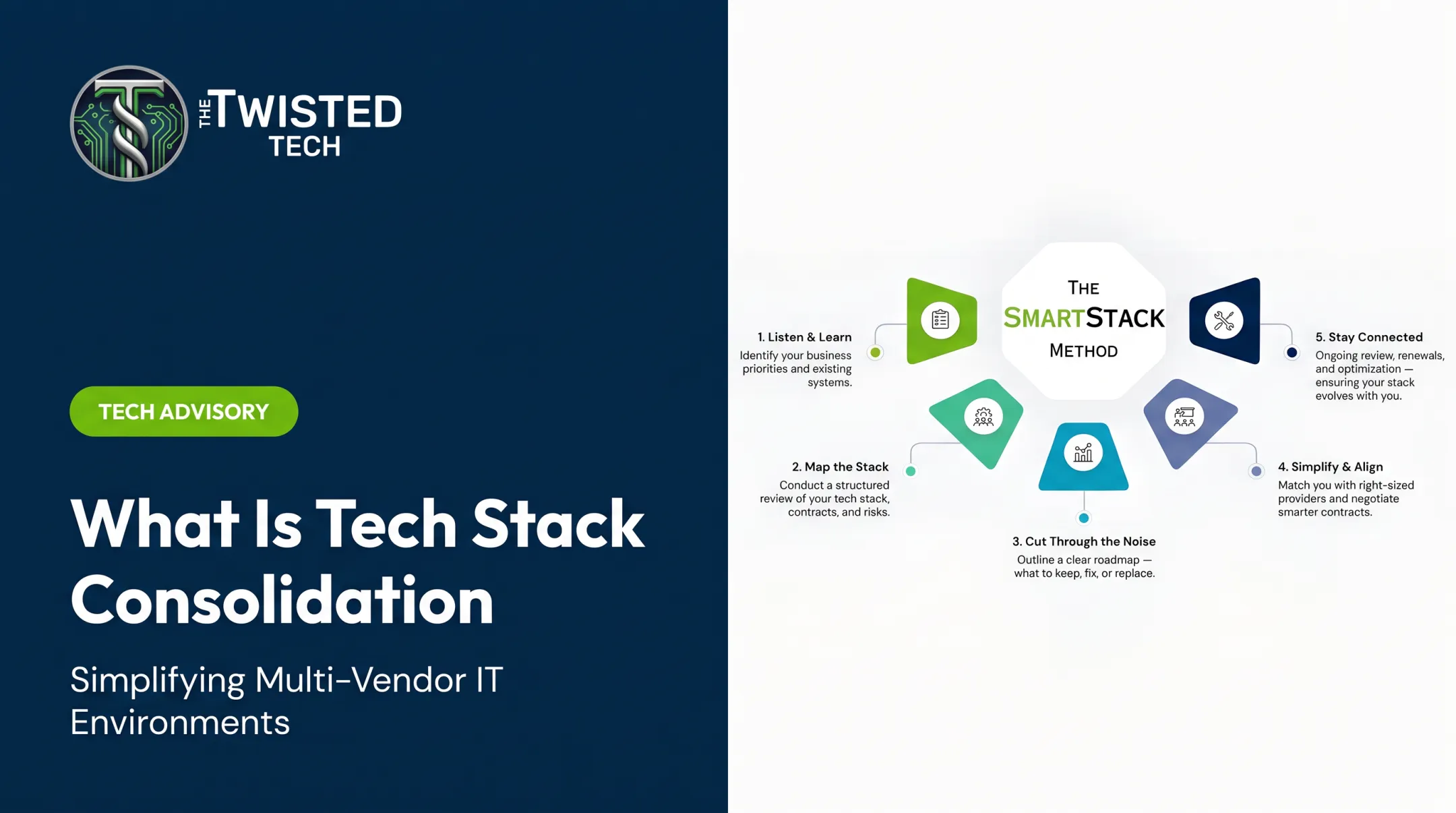
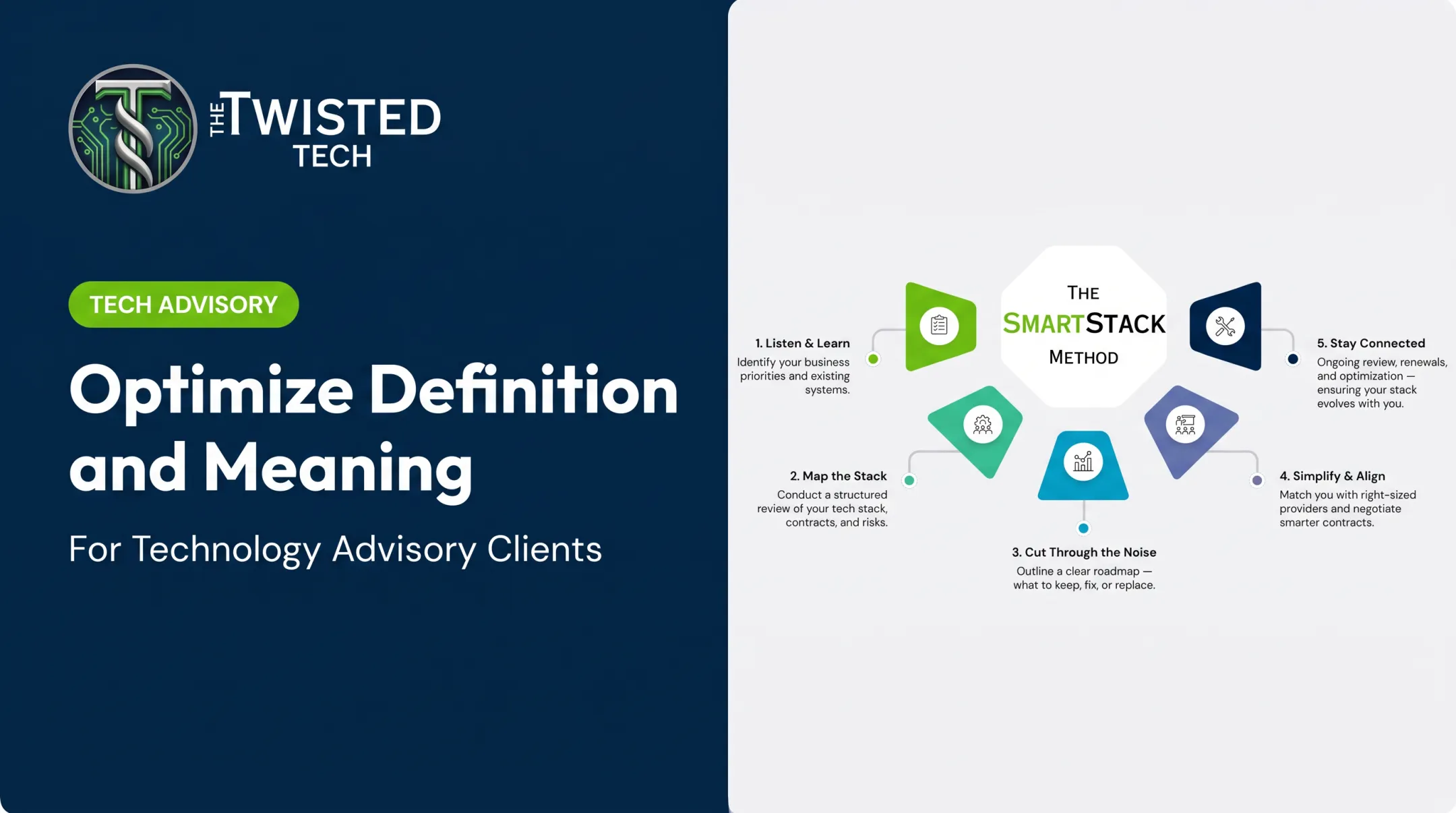
For lean teams, independent, vendor-neutral guidance helps most at this stage. The Twisted Tech uses a structured process called SmartStack that moves through discovery, mapping, evaluation, and alignment. That keeps requirements validation and provider comparison from depending on a single vendor's story.

Apply Practical Optimization Criteria to Every Tool and Provider
Once you know what you have, evaluate it against consistent criteria instead of reacting to individual complaints or vendor pitches. Start with business fit: name the process, outcome, and requirement the technology must support, and reject purchases driven only by popularity or short-term pressure from one department.
Integration, Usability, and Cost
- Integration and data quality: Does it connect reliably to essential platforms and reduce duplicate entry?
- Usability and adoption: Gather feedback from daily users. Distinguish between a tool that's genuinely wrong for the job and one that's just poorly implemented.
- Total cost and commercial fit: Include licenses, usage charges, implementation, training, and the cost of switching versus staying put.
Scalability and Security
Look past today’s footprint before you approve a tool:
- Can the vendor support more users, locations, and transaction volume as you grow?
- Do APIs exist for integrations you will need later?
- What does recovery look like if the system fails?
- Does it meet security, privacy, and compliance requirements for customer, employee, or financial data?
A Simple Scoring Approach
A weighted framework keeps decisions consistent. Score each option 1-10 on the criteria below, then apply weights that match your priorities:
| Criteria | Weight | Score (1-10) |
|---|---|---|
| Business impact | 30% | — |
| Integration fit | 20% | — |
| Risk/security | 20% | — |
| Cost efficiency | 15% | — |
| Adoption ease | 15% | — |

Adapt the weights to your priorities so choices rest on evidence, not gut feeling alone.
Turn Optimization Into an Operating Discipline
A one-time audit fixes today's problems. It doesn't stop new ones from forming next quarter.
Build a Roadmap and Ownership Structure
Create a technology roadmap covering immediate fixes, upcoming evaluations, renewal decision points, and longer-term modernization priorities. Establish a cross-functional group (operations, IT, finance, procurement, and security) with actual decision rights, not just advisory input.
Add an Intake Process
Require every new technology request to answer:
- What business problem does this solve?
- Who's affected, and what's the expected outcome?
- What integration and security review is needed?
- Who owns it, and what's the adoption plan?
Manage Change Deliberately
Technology changes fail more often from poor adoption than poor selection. Prosci's 2023 research found that 88% of respondents rating their change management as excellent met or exceeded project objectives, compared to just 13% among those rating it poor. Pilot where practical, train by role, and give employees a real channel for feedback.

Set a Review Cadence
Review usage, spend, contracts, and incidents on a recurring schedule — quarterly at minimum, more often during growth or restructuring. Track adoption, cycle time, support volume, and cost against value.
Those same review gates are where AI adoption belongs. Confirm data quality, integration, security, and user readiness before funding pilots. Gartner projected that at least 30% of generative AI projects would be abandoned after proof of concept by the end of 2025, citing exactly these gaps.
For organizations without the bandwidth to run this discipline continuously, The Twisted Tech helps lean teams keep requirements, vendor decisions, implementation, and renewals on one operating cadence.
Frequently Asked Questions
Which tech stack is best?
There's no universally best stack. The right choice depends on your workflows, budget, integrations, security needs, and growth plans. Anyone claiming otherwise is selling something.
What is a tech stack?
A tech stack is the software, platforms, infrastructure, networks, data services, and providers your organization uses to operate. It covers day-to-day tools and the systems that support them behind the scenes.
What are the 5 layers of the AI tech stack?
Frameworks vary, but common layers are infrastructure, data, models, applications, and governance/orchestration. Data quality and governance matter most—weak foundations here are a leading reason AI projects stall.