Introduction: Why Software License Renewal Management Matters
Most software renewals get treated as a checkbox: the invoice arrives, someone approves it, and the subscription rolls forward for another year. That habit is expensive.
Organizations leave an average of 36% of SaaS licenses unused, according to Zylo's 2026 SaaS Management Index. The report analyzed more than 40 million licenses and $75 billion in spend. Multiply that waste across dozens of vendors and the numbers add up fast.
Software license renewal management combines contract tracking, usage analysis, stakeholder sign-off, vendor evaluation, and timely action before a license expires.
This guide walks through a practical framework for deciding whether to renew, renegotiate, reduce, replace, consolidate, or cancel each piece of software in your stack.
Key Takeaways
- Build visibility into every license: owner, renewal date, notice period, cost, and actual usage.
- Judge renewals on business value, adoption, security, and total cost, not price alone.
- Check auto-renewal clauses early to protect your negotiating leverage.
- Use one workflow so IT, finance, procurement, and legal know their role.
What Software License Renewal Management Includes
Software license renewal management is the process of tracking every software agreement's terms, usage, and value, then acting deliberately before it expires or auto-renews. It's different from adjacent disciplines:
- Software asset management (SAM) covers the full lifecycle of IT assets, including deployment and compliance, not just renewal timing.
- SaaS management focuses on discovery and usage analytics across cloud subscriptions.
- Procurement handles the initial purchase and vendor sourcing.
- Day-to-day license administration covers provisioning users and managing seats, not the strategic renew/reduce/cancel decision.
Renewal Types Aren't All the Same
Each licensing model creates different pricing structures and different consequences at expiration:
- Perpetual license maintenance — you own the license; maintenance and support renew separately.
- Term-based licensing — usage rights expire on a fixed date, often tied to Software Assurance or similar programs.
- SaaS subscriptions — monthly, annual, or multi-year, with access typically ending when the subscription lapses.
- Usage-based agreements — pricing tracks consumption, which can shift dramatically between terms.
- Support and service renewals — separate from the license itself but critical for uptime.
The Records Worth Keeping
For every agreement, keep a clear record of:
- Vendor, product, license model, and seat count
- Contract owner and business owner
- Renewal date and cancellation deadline
- Payment terms and price-adjustment language
- Service levels, data obligations, and exit requirements
This matters most for growing organizations with lean IT teams, where purchases happen department by department and sometimes have no central owner at all. Independent review work, including The Twisted Tech's Microsoft Licensing Review & Optimization, maps what you own, how it is used, and where gaps or overlaps exist before a renewal date forces a decision.
How to Build a Software License Renewal Process
A renewal process only works if it starts with a complete picture, not a partial one.
Start With a Full Inventory
Gather every agreement, invoice, purchase order, renewal notice, vendor portal login, credit-card charge, and department-level subscription you can find. Look specifically for:
- Shadow IT purchased outside normal procurement channels
- Contracts with no assigned business owner
- Duplicate tools solving the same problem in different departments
Build a Renewal Calendar With Two Dates, Not One
Every contract has a renewal date and a separate cancellation notice deadline. Miss the second one and you're locked in regardless of what you decide about the first. Zylo recommends checkpoints at 120, 90, and 60 days before a renewal. At the 120-day mark, review the contract's auto-renewal and notice clauses, then loop in the application owner to confirm whether the tool still fits.
Assign the Workflow
A renewal decision touches more than one desk:
- IT or application owners validate technical fit and confirm actual usage.
- Business leaders confirm the tool still delivers operational value.
- Finance reviews the budget impact.
- Procurement leads commercial discussions with the vendor.
- Legal or security reviews risk, data handling, and contract terms.
Once those roles weigh in, every renewal should land in one of six buckets:
- Renew as-is
- Renew with changed terms
- Reduce license count
- Consolidate with another tool
- Replace the solution
- Cancel it
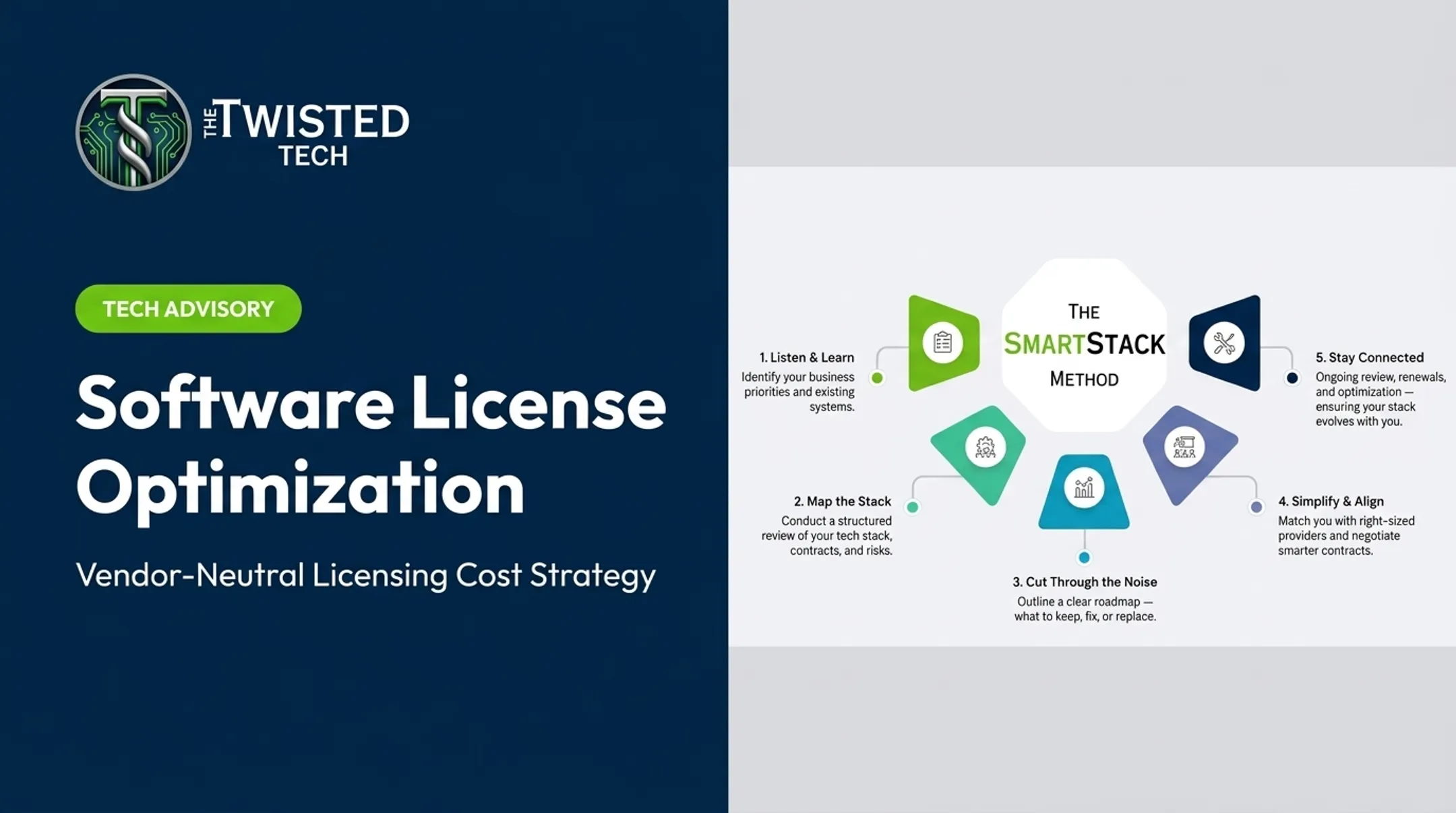
Set approval thresholds so decisions above a set dollar amount require sign-off. Document the rationale, cost, term, and next review date every time. The Twisted Tech's SmartStack approach follows the same arc: map the current environment, spot friction and overlap, then decide whether to keep, optimize, renegotiate, consolidate, or replace. If your team lacks bandwidth to run that process alone, independent vendor-neutral support can help compare providers, negotiate terms, and coordinate a switch when it makes sense.

Software License Renewal Checklist
Run through these six review areas before signing anything.
| Review Area | What to Confirm |
|---|---|
| Contract & deadlines | Renewal date, notice period, auto-renewal clause, price escalators, minimum commitments, termination rights |
| Usage & licenses | Purchased vs. assigned vs. active seats, feature adoption, capacity needs for next term |
| Value & performance | Whether it still solves the original problem, integrates well, and delivers expected results |
| Vendor & risk | Uptime, support responsiveness, unresolved issues, security controls, compliance fit |
| Market & budget | Current pricing vs. alternatives, migration costs, budget fit |
| Decision documentation | Chosen path, negotiated terms, approvals, next review date |
Two of these areas deserve extra attention.
Usage & licenses is where the waste hides. Vertice's Q2 2026 data found that software running below 50% of purchased capacity wastes more money than licenses that go completely unused. A license nobody touches is easy to spot. A license half the team barely uses is not.
Vendor & risk often gets skipped because it feels less urgent than pricing. It shouldn't. Unresolved support tickets, missed uptime targets, and vendors that won't address service gaps are signals that a renewal should come with changed terms—or no renewal at all.
How to Evaluate and Negotiate a Software License Renewal
Walking into a renewal conversation without a defined position is how organizations end up accepting whatever terms the vendor offers.
Know Your Position Before You Call
Before contacting the vendor, define:
- Your preferred outcome and acceptable fallback options
- Maximum budget for the renewal
- Required features and target license quantity
- Term length preference
- Non-negotiable security or service requirements
Build Leverage From Evidence
Vendors respond to specifics, not general pushback. Bring:
- Actual usage data, including unused or duplicate licenses
- A documented support history, good or bad
- Business growth (or contraction) that changes your needs
- Competing provider quotes
- Purchase history and tenure as a customer
That preparation shows up in the numbers. Flexera's 2025 State of IT Asset Management survey found that 82% of respondents saw savings from better vendor-contract negotiations, while 83% saw savings simply from cutting unused software.

Negotiate More Than the Sticker Price
Price is one lever among many. Also push on:
- License count and tier changes
- Implementation or training fees
- Payment schedule flexibility
- Caps on future price increases
- Data portability and termination rights
- Notice periods for the next renewal
Multi-Year vs. Annual: Weigh the Trade-Off
Longer terms can lock in better pricing and predictability, but they reduce flexibility. Consider a multi-year commitment when usage is stable and unlikely to shrink. Favor annual terms when headcount, strategy, or vendor performance could shift within the next 12 months.
Whatever term you favor, put a written comparison in front of stakeholders before you sign: renew, replace, or cancel, weighed against migration cost, training time, integration effort, and downtime risk. That single document usually resolves internal disagreement faster than another meeting will.
Tools, Roles, and Governance for Ongoing Renewal Management
You don't need expensive software on day one to track renewals well. You do need a system someone actually maintains.
Choose a Tracking Method That Fits Your Scale
- A controlled spreadsheet and shared calendar works for organizations with a modest number of contracts and one clear owner.
- Contract lifecycle management (CLM) or software asset management (SAM) tools add centralized records, automated alerts, and audit trails as the contract count grows.
- SaaS management platforms add usage visibility across the environment, useful once shadow IT becomes a recurring problem.
Whatever the method, it needs alerts, clear ownership, usage visibility, an approval trail, and reporting that shows upcoming exposure.
Spread Ownership, Don't Concentrate It
Assign renewal responsibility across IT, finance, procurement, legal, security, and application owners rather than one person. When that person leaves, the knowledge shouldn't leave with them.
Review the Portfolio, Not Just the Next Deadline
Don't wait for expiration to think about renewals. Review the full portfolio periodically against:
- Upcoming renewal exposure over the next 6-12 months
- Contracts with no assigned owner
- Unused or duplicate applications
- Unresolved vendor issues
- Completed decisions and their outcomes
That portfolio-level review is how The Twisted Tech handles a major renewal. Reassess the contract and the provider relationship first, then decide whether to renew, renegotiate, replace, or consolidate—the renewal date alone shouldn't drive the whole conversation.

Frequently Asked Questions
What is a software license?
A software license is permission to use software under specific terms. It sets who can use it, on which devices, which features are included, how long access lasts, usage limits, support, and restrictions.
How much does a software license renewal cost?
Cost depends on the licensing model, number of users or usage volume, tier, contract term, vendor pricing, support level, and negotiated terms. Review your specific agreement and current usage rather than assuming a standard rate applies.
What happens if a software license expires?
You may lose access or support, disrupting business processes that depend on the software. Depending on the vendor and license type, reinstatement can cost more or require emergency procurement to restore access.
When should you start preparing for a software license renewal?
Start well before the vendor's cancellation notice deadline, not the renewal date itself. Complex contracts, multiple stakeholders, or potential migrations all need more lead time than a simple renewal.
Should every software license be renewed?
No. Renewal should follow a documented review of usage, business value, security, vendor performance, cost, and alternatives. Some licenses should be reduced, consolidated, replaced, or canceled instead of automatically renewed.